Use bilingual pages and profiles
Switch between published language editions and recognize content that remains in its original language.
Español · English edition
Audience: visitors and staff using a configured bilingual website. These instructions describe an optional site implementation; installing UnionWP alone does not translate a website.
Switch languages
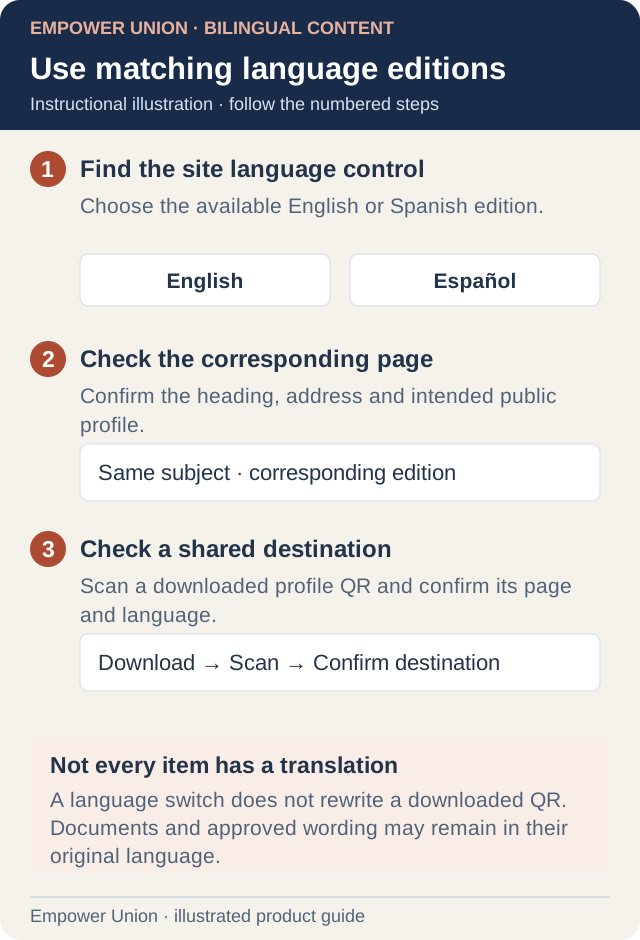
Illustration: A language switch does not rewrite a downloaded QR. Documents and approved wording may remain in their original language. Simplified workflow; follow the controls on your site. Open full-size illustration.
- Open the official website and locate its EN / ES or English / Español control. It can be integrated into desktop utility links and mobile navigation.
- Select the desired language and confirm the resulting heading and address.
- Where a translated counterpart exists, use that page’s corresponding edition rather than guessing a translated URL.
- If a destination is labelled in English or en inglés, expect the original language. Use the supplied official route if no approved translation exists.
A language selector does not promise complete translation of historical news, recordings, PDFs, legal policies or membership agreements. Content can remain in its source language while a translation awaits editorial or separate approval. The presence of Spanish documentation does not change those approval states.
Profiles, messages and QR codes
Open the intended published profile in the selected language, check the name and role, and use the available sharing or message control. A language counterpart should refer to the same person, even when its page address differs. Do not assume all directory entries offer a profile or a message action.
After downloading a profile QR, scan the file and confirm the person, live domain and intended language destination. A QR can preserve the specific page address it encoded; switching website language later does not rewrite already downloaded artwork. See Share a profile.
Forms and content requests
Public forms can present translated labels, validation and confirmation where configured. Follow the instructions on the actual form. A translated public form does not imply a different recipient or a new approval process.
Staff request tools can intentionally remain English. To request Spanish publication copy, use Provide Spanish content. This is independent of the visitor’s website language or the language of this documentation.
News and documents
Open the complete article rather than relying on a listing excerpt. Follow the document’s visible download link when the article references a PDF. Browser reading modes may simplify an article, but availability varies by browser and content; short, image-heavy or PDF-led pages may not be offered in reading mode. The ordinary page and document link remain the reference.
If a translation appears inconsistent, record both public addresses, the page title and the affected passage. Ask for editorial review through the approved content process. Do not publish a guessed correction to a legal or policy document.