Use privacy and consent controls
Understand optional analytics and embedded-content choices on a configured website.
Español · English edition
Audience: website visitors and staff explaining the visible controls. Availability: a configured site feature; the exact controls and policy belong to the website you are using.
Read the choices
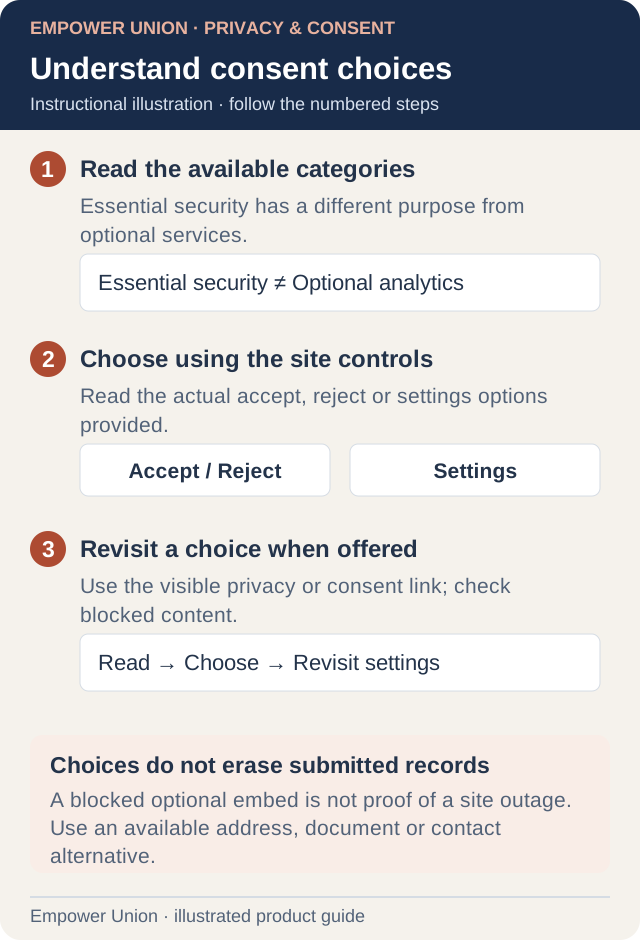
Illustration: A blocked optional embed is not proof of a site outage. Use an available address, document or contact alternative. Simplified workflow; follow the controls on your site. Open full-size illustration.
Where a consent banner is provided, read the categories and use its accept, reject or settings controls. Optional analytics and third-party embedded content can remain blocked until the relevant choice is granted. Essential security and form validation can have a separate purpose and should not be confused with optional analytics.
Use the visible consent or privacy-settings link to revisit a choice where offered. Changing the choice affects the relevant configured optional services; it does not erase a submitted application, cancel a staff request or change your account permissions.
Embedded content does not load
- Read the placeholder and the current consent choice.
- Decide whether to allow the relevant optional category using the actual site control.
- Reload or reopen the content if the page instructs you to do so.
- Use an available ordinary address, document or contact alternative if you do not want to enable the embed.
A blocked map or optional embed does not necessarily mean the whole website is unavailable. Do not disable browser security or submit a form just to diagnose an embed.
Analytics and submission records are different
A visitor-analytics report is separate from form records and delivery logs. Analytics can exclude signed-in traffic, private pages or visits without optional consent. No reported visit does not establish that no application or message was submitted.
A cookie or analytics choice is not consent to publish private form data or an agreement to receive planned SMS. Read the specific form instructions and the website’s published privacy information before providing personal details.
Ask about data handling
Use the organization’s official privacy/contact route for questions about records, corrections and retention. Product documentation does not set a universal deletion period or establish a legal conclusion for every website. For a technical issue with the banner, report the page, language, browser and visible behavior without sending private records.