Read site insights
Choose the correct report, compare activity and understand reporting limits.
Audience: administrators reviewing website activity. Requires: a configured analytics property and read connection for your website. Outcome: a report with the correct period, traffic environment and interpretation.
Open and filter a report
- Open UnionWP Pro → Site Insights.
- If you see Site Insights Setup or a connection warning, contact the setup administrator. Existing reporting requires the site’s own configured connection.
- On Overview, choose Period: Today, Last 7 Days, Last 30 Days or Last 90 Days.
- Choose Traffic: Live Website or Rebuild Review, as appropriate.
- Select Update Report. Check the displayed reporting timezone.
- Read Visitor Overview and Visitor Trend. Expand View Exact Trend Values for the table behind the chart.
Reports can be cached for up to five minutes. Tracking starts when configured; it does not recover older visits. Compare equivalent periods and environments when assessing a change.
Explore where traffic comes from
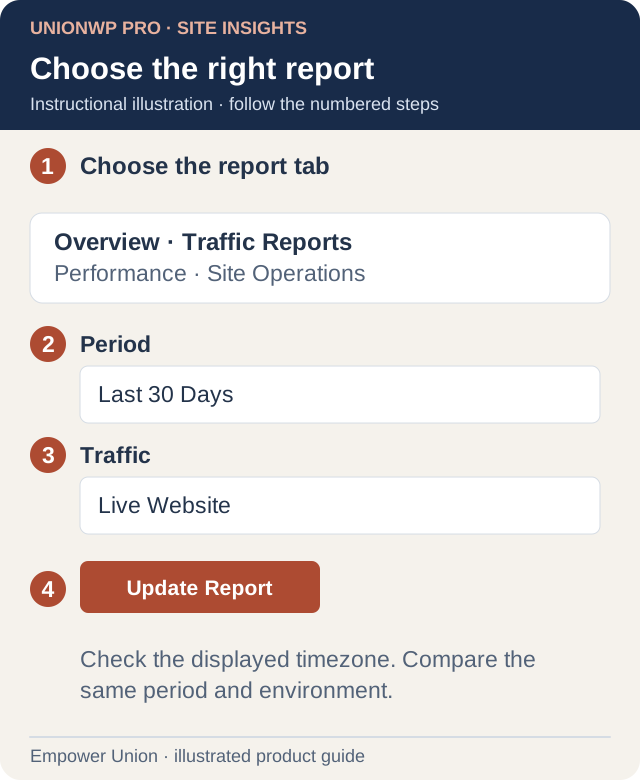
Illustration: use the actual tabs and filter labels. The example selects Last 30 Days and Live Website; use the environment needed for your task. Open full-size illustration.
- Open Traffic Reports.
- Confirm Period and Traffic again.
- Choose a Report, such as Popular Pages, Entry Pages, Referrers, Devices or Countries.
- Select Update Report.
- Compare sessions, pageviews and share for the displayed rows. This view shows up to 50 results; use the existing full-dashboard link if authorized and more detail is needed.
Visitors, sessions and pageviews are different measures. One person can produce multiple sessions and pageviews. These counts are not a verified member count or a list of identified people.
Use Live Activity
On Overview, Live Activity covers activity within the past five minutes and updates every 30 seconds while the tab is visible. Pause Updates pauses that panel’s refresh; it does not stop website tracking.
A last recorded page does not prove the visitor is still reading it. Locations are approximate. The panel shows up to 50 recent sessions and follows configured exclusions.
Review Performance and Site Operations
Performance shows real visitor samples, including median and higher-percentile measurements. It is separate from a synthetic speed test. No Samples means there is no measurement to interpret for that cell.
Site Operations uses website records separately from visitor analytics. Review configured content totals, pending content, recent updates, form availability and notice timing where supplied by your site. Open a record in its actual workflow before deciding that a count means approval or publication.
Understand an empty report
Check period, traffic selection, connection and any visible error. Logged-in visits, administration, configured form/private pages and other exclusions are not counted in the relevant reports. Your own signed-in visit may therefore be absent.
Zero reported traffic does not prove nobody used the website. Analytics cannot serve as a complete audit of applications or staff actions. Report a persistent connection error with the selected filters and timezone through support.